Loopyti Blog · Page 2
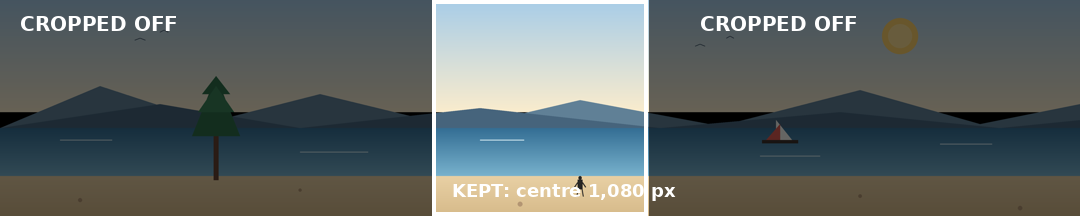

A Panorama Uploaded as One Instagram Slide Gets Cropped — Split It Into a Seamless Carousel
Your panorama is wider than one Instagram slide, and Instagram will not shrink it to fit — it crops the sides off and posts what's left. Split the 5,400 × 1,080 photo into five 1,080 × 1,080 square slides first, check that no tree, face, or sign sits on a cut line, and upload the numbered files in…
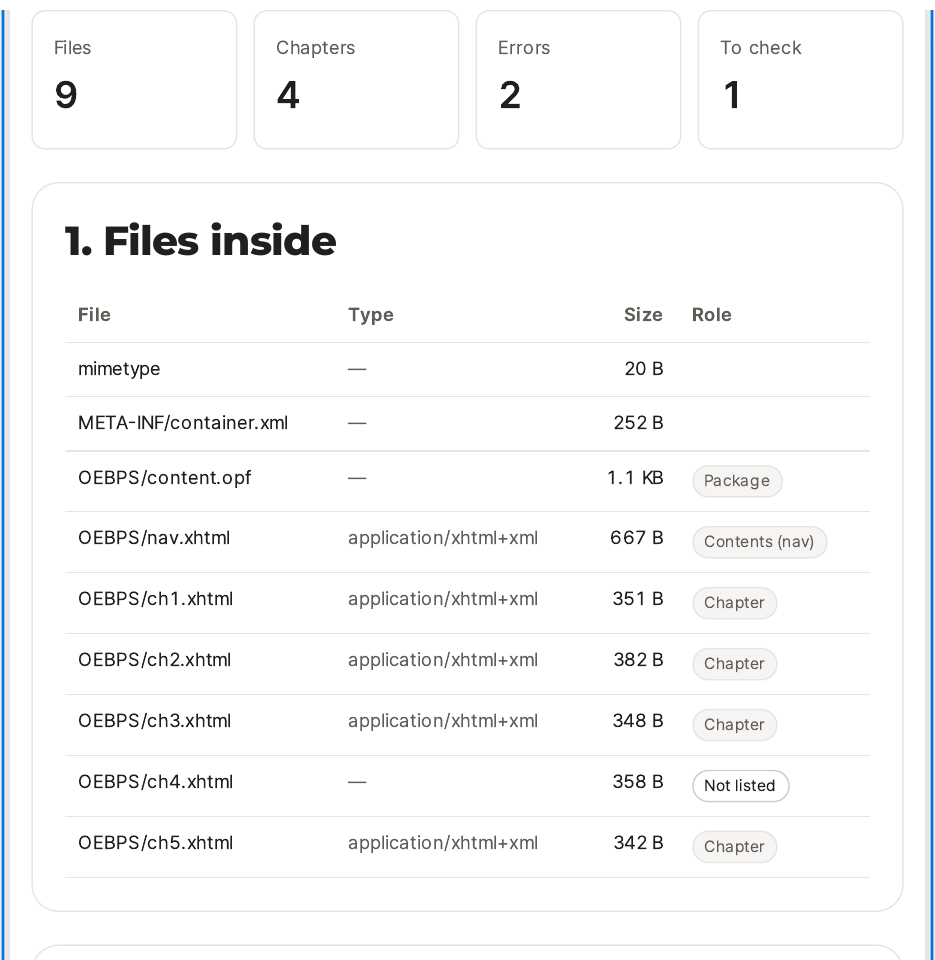
Your EPUB Got Rejected by the Store? Fix the Errors It Actually Names
Don't send the same file back and hope the store changes its mind — the rejection points at a problem inside the file, and the file is the thing that has to change. Open the rejected EPUB in the fixer, read the four problems it names, rebuild the contents, correct the book details, and check the li…
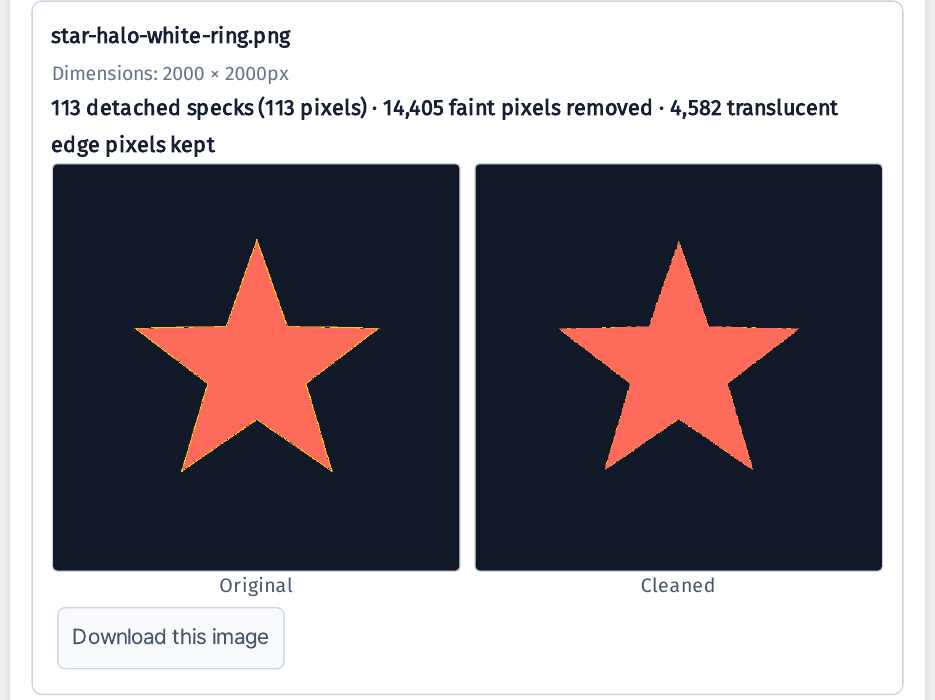
Your Transparent PNG Looks Clean — Until You Put It on a Dark Background
Your sticker looks spotless on a white page — then it grows a dirty white ring the moment it lands on black. The background is already gone, so removing it again fixes nothing: what you are seeing is the faint residue the remover left along the edge. Run the PNG through the cleaner and it strips on…
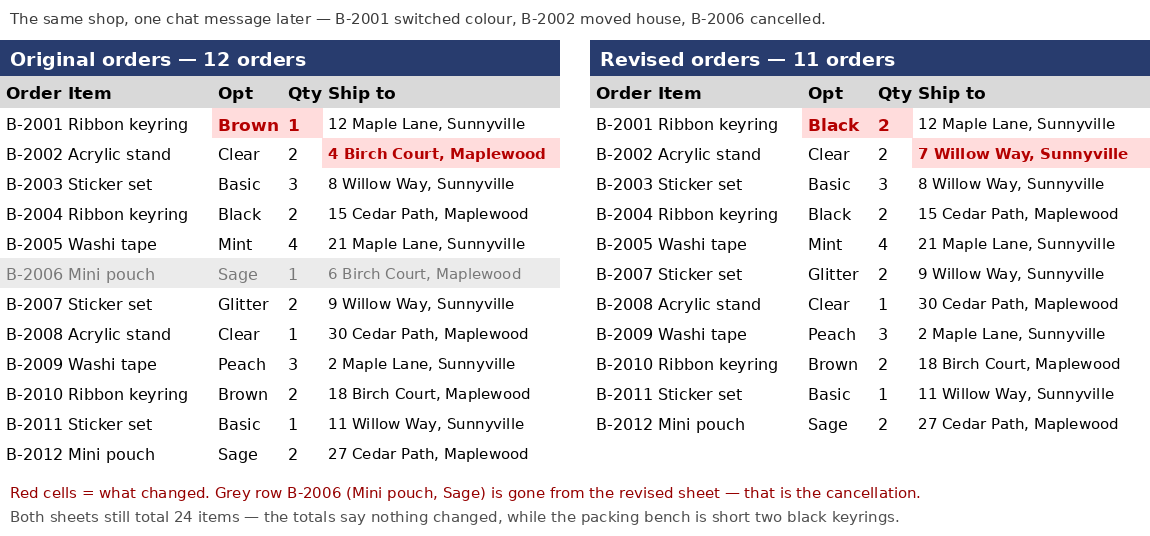
The Customer Changed Their Order in Chat — Turn Two Order Sheets Into a Task List
Don't reread both sheets line by line to find the one change — it hides among eleven lines that didn't change, and that is exactly where the packing mistake happens. Put the original orders and the revised orders side by side in the comparer instead: you get back a task list of what to add, what to…
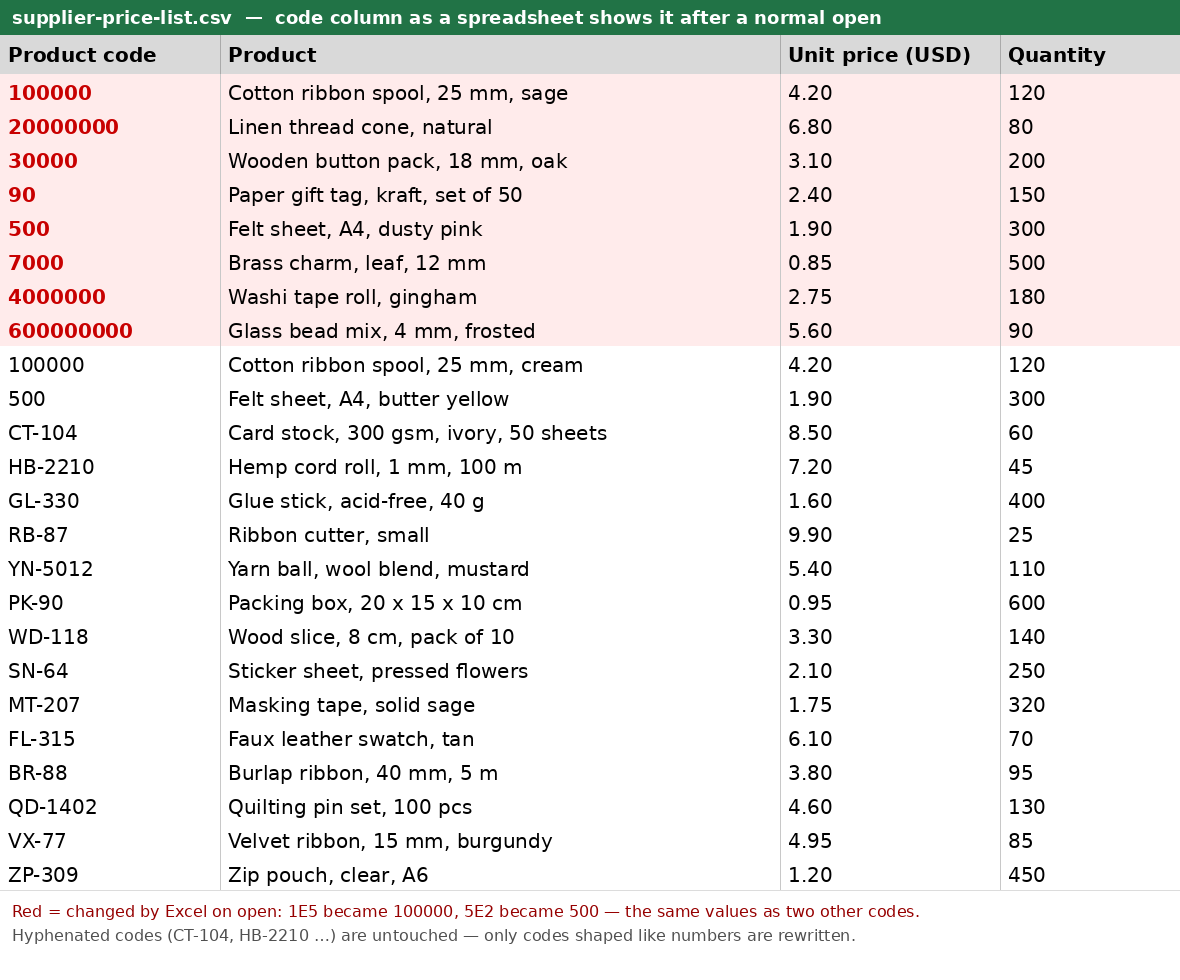
Excel Turned My Product Code 1E5 Into 100000 — It Was Never a Number
Don't double-click the supplier CSV. The moment a spreadsheet opens it, codes like 1E5 stop being codes — they are read as numbers, and if you save, the change is permanent. Check the file first instead: run it through the checker, download the value-preserving XLSX, and 1E5 stays the text 1E5. Try…