Showing Posts From
Images & Photos


You Removed the Background, but the Thumbnail Still Shows a Tiny Product
Don't re-export from your editor — the margin is part of the file, and your editor already saved it that way. Drop the PNG in, trim the transparent margin to the content, and keep a small even padding — the thumbnail finally fills its frame. Try the tool Auto-Trim Transparent Margins Trim transpare…
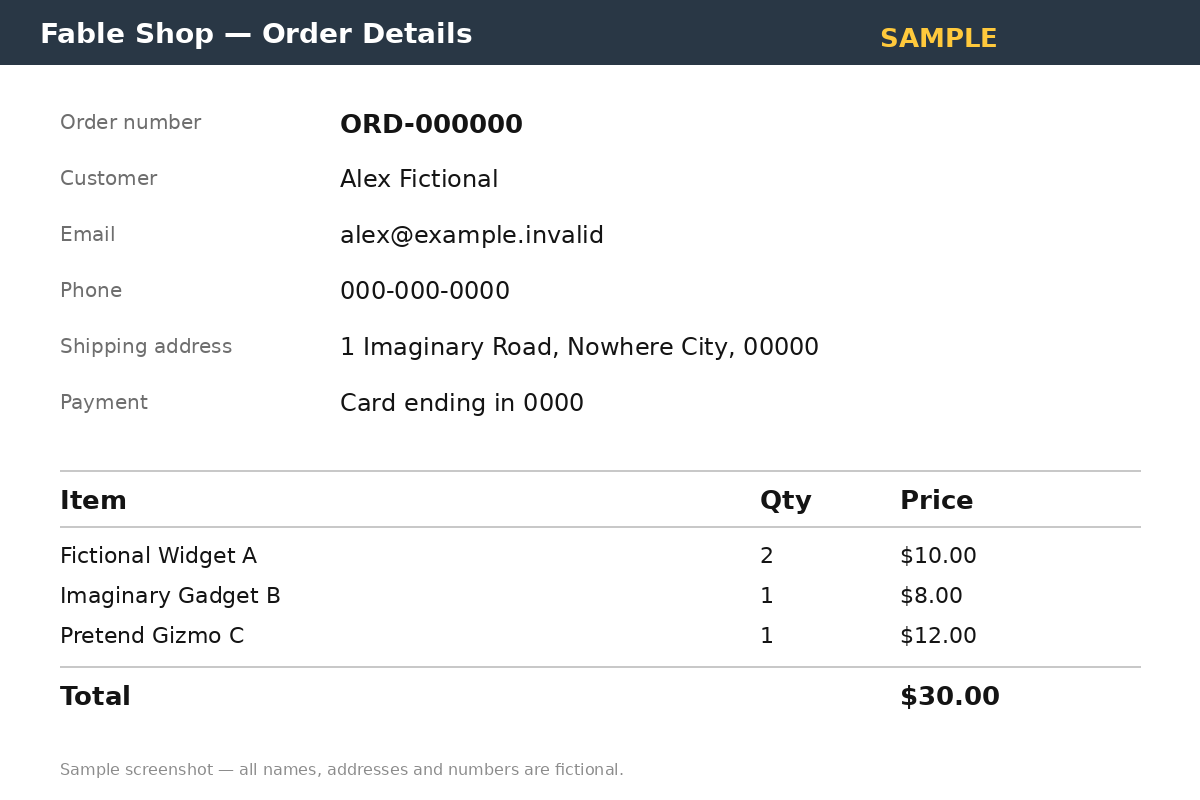
Blurred Isn't Hidden: I Tested Whether a Mosaic Screenshot Can Still Be Read
Don't blur the order number and post the screenshot — blur only smears the pixels, and a sharper look can still make out the shape of the text. Put a solid black box over the number before you share the screenshot — it replaces the pixels instead of smearing them, so there is nothing left to sharpe…
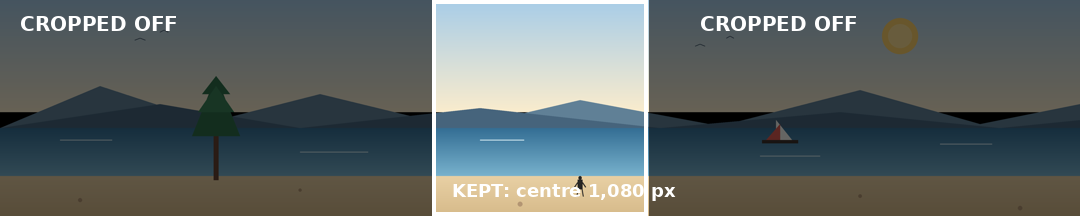
A Panorama Uploaded as One Instagram Slide Gets Cropped — Split It Into a Seamless Carousel
Your panorama is wider than one Instagram slide, and Instagram will not shrink it to fit — it crops the sides off and posts what's left. Split the 5,400 × 1,080 photo into five 1,080 × 1,080 square slides first, check that no tree, face, or sign sits on a cut line, and upload the numbered files in…
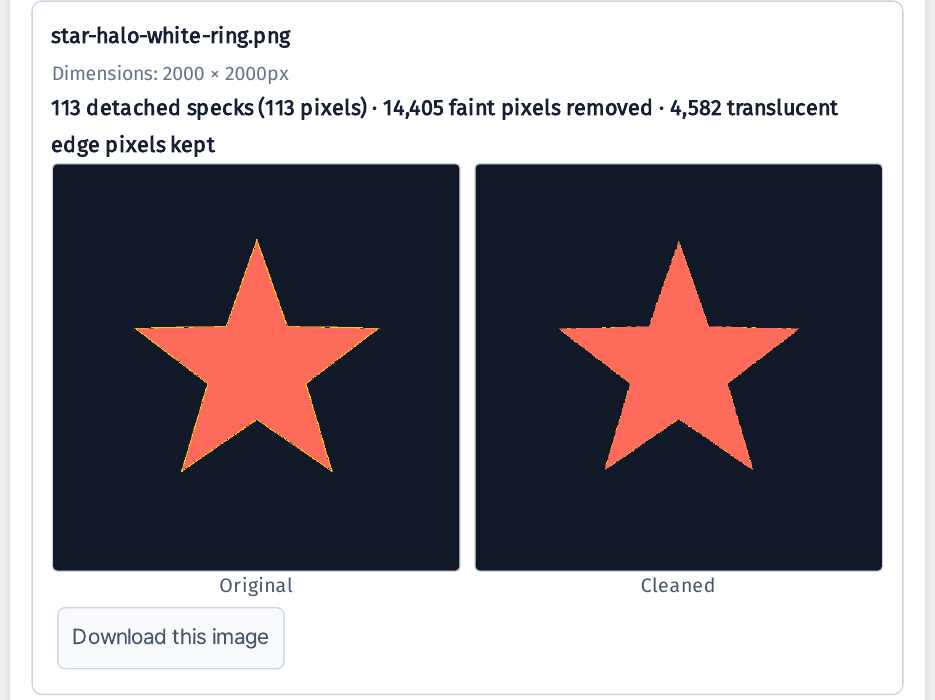
Your Transparent PNG Looks Clean — Until You Put It on a Dark Background
Your sticker looks spotless on a white page — then it grows a dirty white ring the moment it lands on black. The background is already gone, so removing it again fixes nothing: what you are seeing is the faint residue the remover left along the edge. Run the PNG through the cleaner and it strips on…
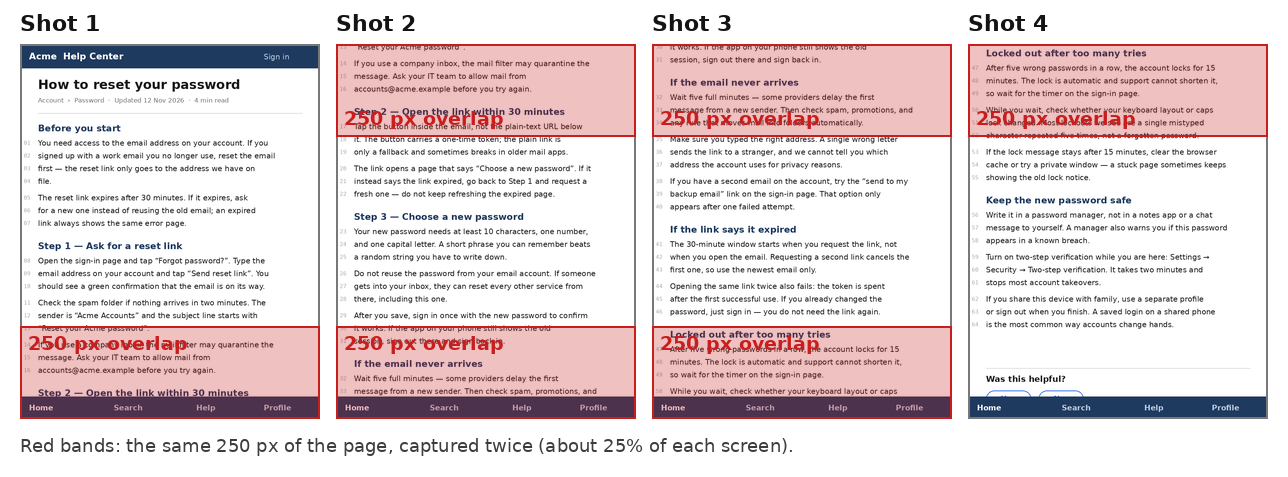
Stacked Screenshots Repeat the Same Lines Twice? Stitch Them by Removing the Overlap
Don't stack the shots in an editor and call it done — every overlap comes back as the same paragraph twice, and trimming three seams by eye never lands exactly. Add the four screenshots top to bottom in the stitcher instead: it finds each overlap and cuts it, and the fixed bottom bar is kept once,…
Upload Portal Says 'File Must Be Under 200 KB' — Compress to an Exact Target Size
Don't drag a quality slider to 70%, upload, get rejected, try 60%, upload again, and repeat until the portal finally accepts the file — and don't shrink the photo's pixels first. Set a target of 200 KB and a minimum longest side of 1,000 px, and the tool searches for the highest quality that still…