
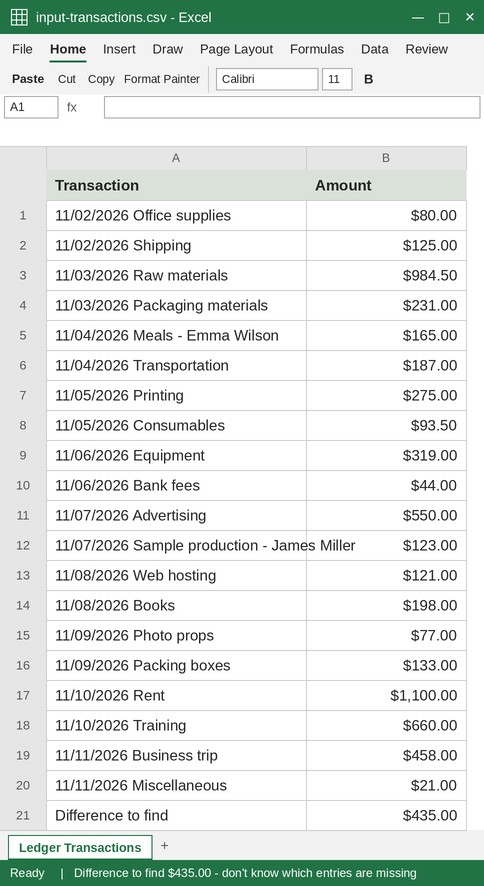
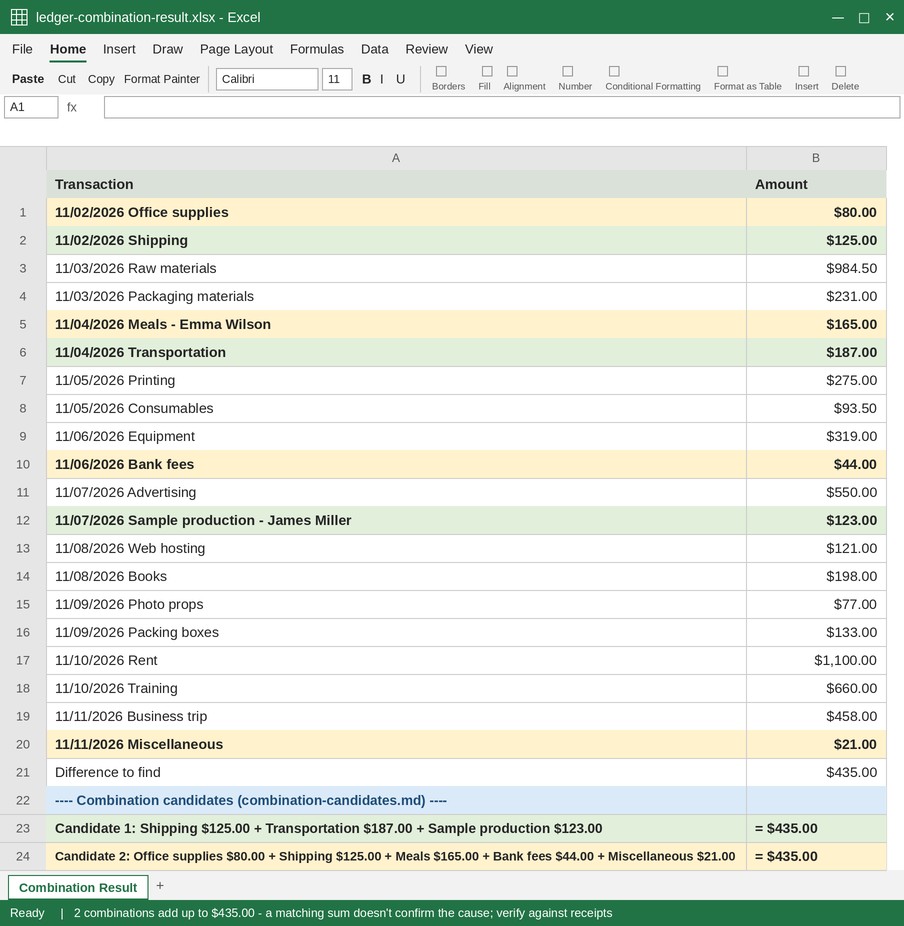
Your ledger is off, but you cannot tell which entries are missing
Enter a list of amounts and the difference to explain. The tool finds groups of amounts that add up to that difference.
How to use it
- Paste transaction amounts, one per line.
- Enter the difference to match (for example, $372.00).
- Review candidate groups that add up to the difference. If there are several, start with groups containing fewer entries.
- Compare candidates with your source records. A matching sum is only a lead, not proof of the cause.
How to investigate a ledger difference
When a ledger total does not match a balance, this tool searches up to 40 transaction amounts for groups whose sum matches the difference. Check each candidate against receipts or statements before deciding what happened.
Before searching groups, check common errors: a transposed number often creates a difference divisible by 9; an entry equal to the whole difference may have been omitted or duplicated; and an entry equal to half the difference may have been recorded on the wrong side.
If several groups match, check smaller groups and groups containing larger amounts first. Repeated amounts can produce accidental matches.
Large lists may reach the search limit. Split them by week or month and compare each period separately.
What this helps with
- Guessing combinations with a calculator → See candidate groups whose sum matches the difference.
- Setting up Excel Solver constraints → Enter the amounts and target difference directly.
- Rechecking every transaction from scratch → Narrow the search to entries worth investigating.
Limitations
- Several groups may match by chance; verify candidates against source records.
- An incorrectly typed amount may not match any group. Check common error patterns such as transposed digits.
- The number of input entries and results is limited. Split large lists into smaller periods.