Paid, Unpaid, or Wrong Amount? Match Bank Deposits to Prepaid Orders in One Pass

Don't tick off 20 prepaid orders against 19 bank deposits one by one — a payment under a family member's name and one short payment will slip past you. Load the order list and the deposit history together and the matches come back already split — matched, unpaid, amount mismatch, and cannot confirm — so you only have to look at the ones that need a person.
Try the toolMatch Prepaid Orders: order and deposit matchingAdd your order list and deposits to see them split into paid, unpaid, amount mismatch and cannot confirm.loopyti.comOne warning before you start: if you already told customers "all payments received" and shipped the goods, run the lists through the tool before the next batch goes out — a shipped parcel cannot be called back, and a re-check now is cheaper than a second shipment later. Read the proof section before you chase anyone for a missing payment.
How to match them in three steps
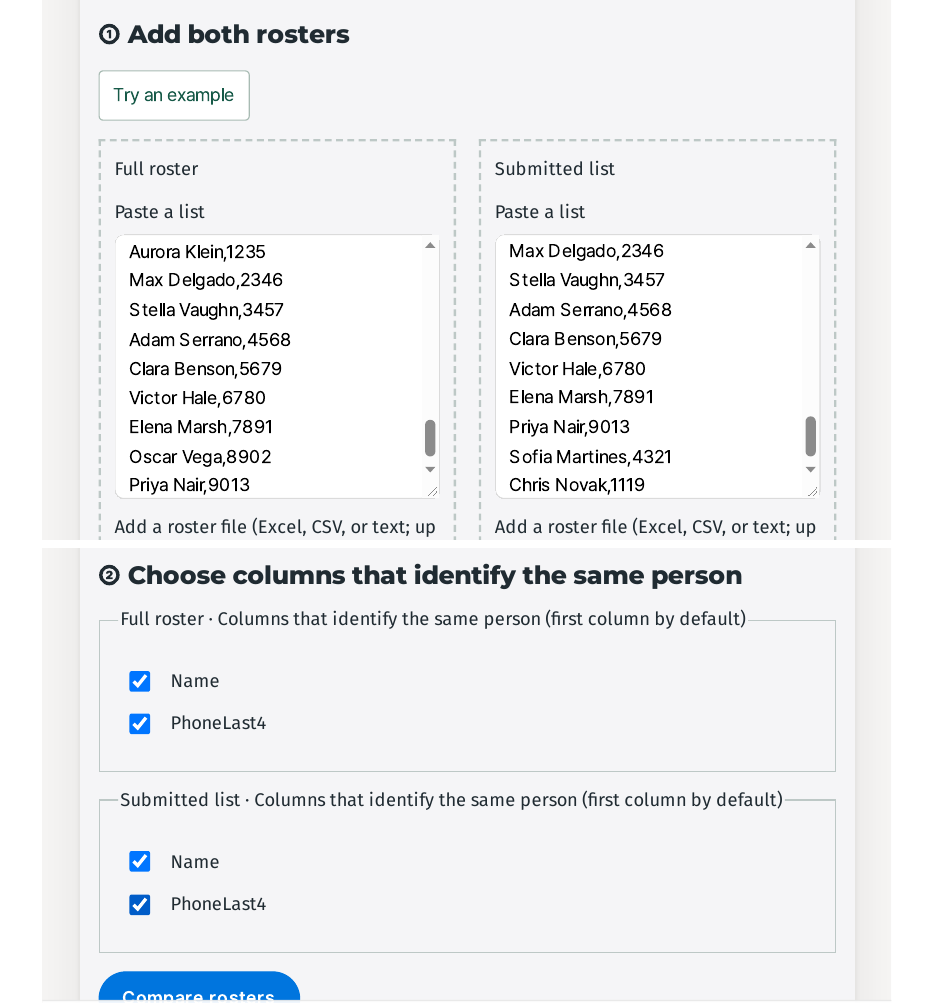
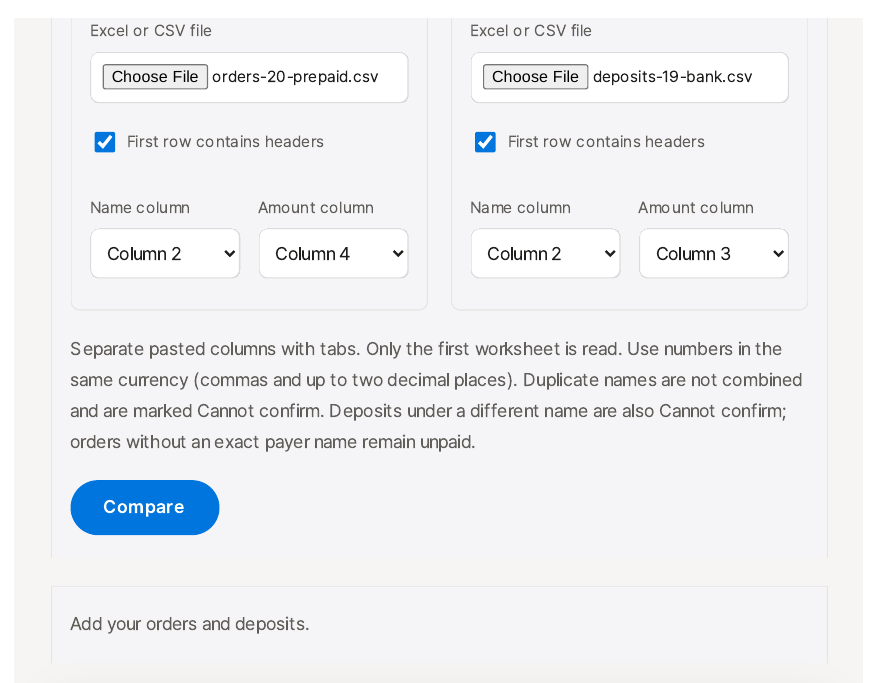
- Add both lists. Open the 20-order list and the 19-deposit history — paste a table or open an Excel or CSV file. "First row contains headers" is already ticked, and the tool picks the name and amount columns for you: orders Name Column 2 and Amount Column 4, deposits Name Column 2 and Amount Column 3. Then click "Compare".
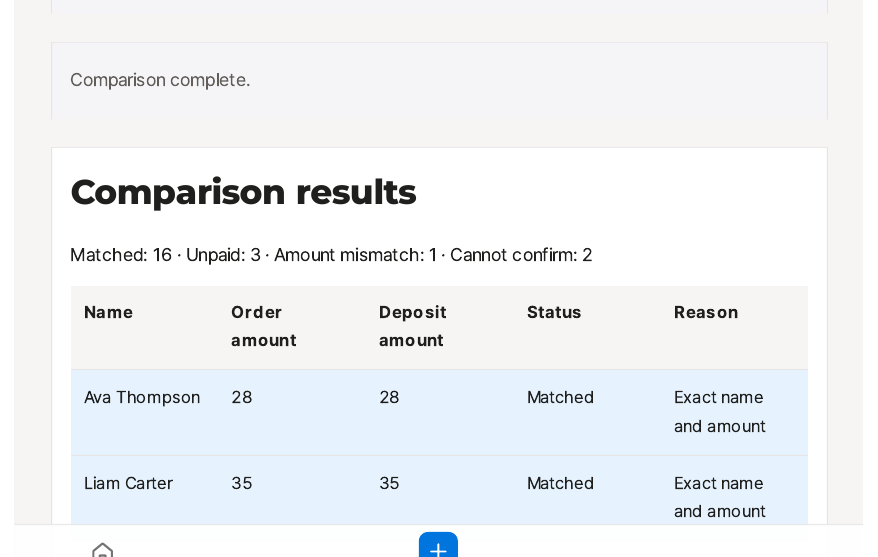
- Read the split, starting with the ones that need you. The result reads "Matched: 16 · Unpaid: 3 · Amount mismatch: 1 · Cannot confirm: 2". The 16 matched rows need nothing. Check the mismatch first — Noah Bennett ordered for $45 and paid $40 — then the two "Cannot confirm" deposits, "Emma's mom" ($32) and Victor Hale ($25), against your own records.
- Download the checked table. Click "Download CSV" — the file comes back with a Status column and a Reason column on every row, 22 rows in total — and use it to contact the three unpaid customers and ask Noah Bennett for the missing $5.
Does it actually work? I tested it
I made up 20 prepaid orders and 19 bank deposits, with the numbers designed to close exactly — 16 exact matches, one payment $5 short, one deposit under a family member's name, two orders with no deposit at all, and one deposit with no order. All names, amounts, and dates are invented. Tested 2026-11-17.
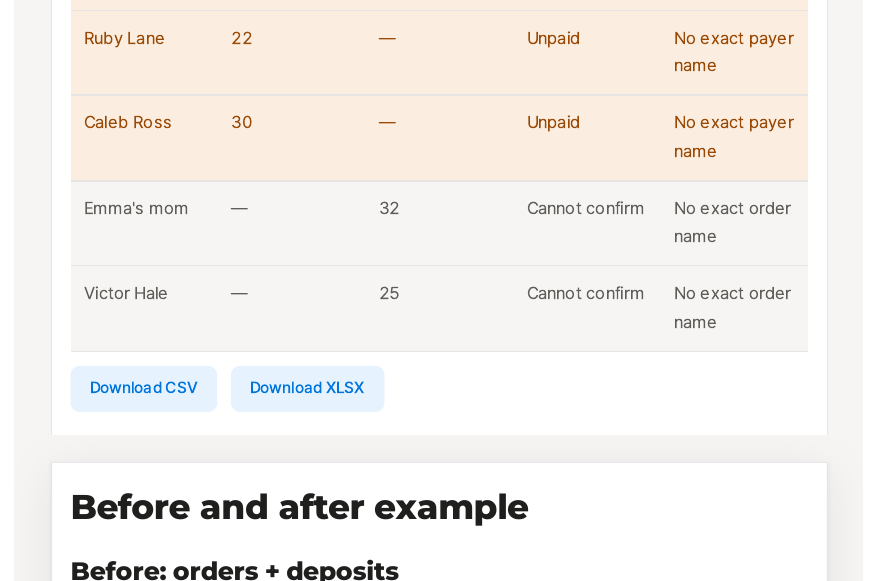
The tool's counts came back exactly as designed. The result screen reads "Comparison results" with "Matched: 16 · Unpaid: 3 · Amount mismatch: 1 · Cannot confirm: 2" — 22 rows in total. The three unpaid names are the ones I planted, plus one I expected: Ruby Lane ($22) and Caleb Ross ($30) have no deposit at all, and Emma Carter ($32) is unpaid too, because no deposit exists under exactly her name.
The split is exact, and the wording is plain. Every matched row says "Exact name and amount", every unpaid row says "No exact payer name", and the two deposits the tool cannot place say "No exact order name". Dates play no part: the 16 matched deposits are dated 2026-11-02 to 11-05, and all 16 still matched — the tool matches on name and amount only, and the result table has no date column at all.
I opened the downloaded file and checked it row by row instead of trusting the screen. The CSV is 1,124 bytes with the columns Name, Order amount, Deposit amount, Status, and Reason — 22 data rows, the same split as on screen. Noah Bennett is there as 45 against 40, "Amount mismatch", "Amount differs: 5 short (check yourself)". Emma Carter sits at 32 with a blank deposit as "Unpaid", and "Emma's mom" sits at 32 with a blank order amount as "Cannot confirm" — two rows for what is almost certainly one payment, with nothing on screen connecting them.
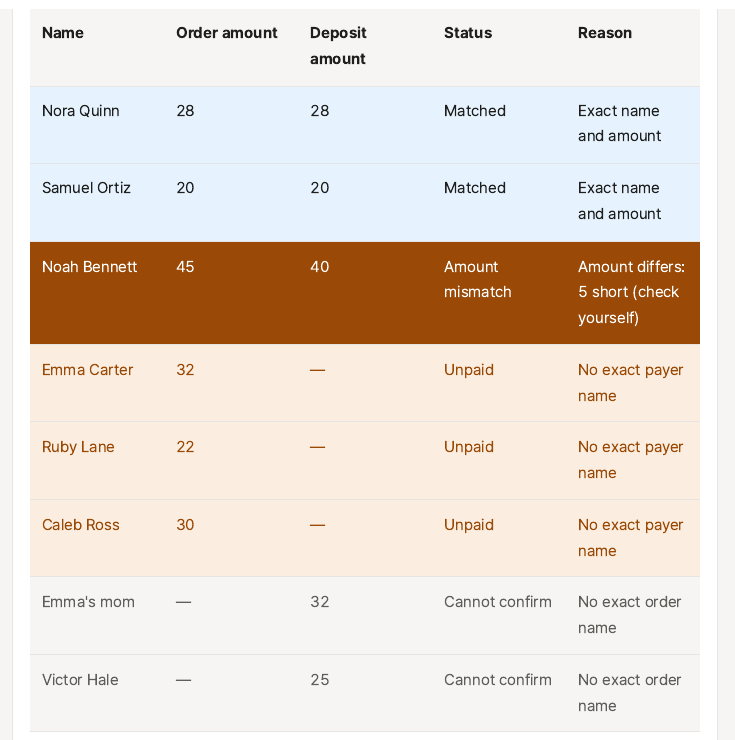
Then the mismatch, which is the part worth reading closely. Noah Bennett's row shows the two amounts, 45 and 40, and the reason "Amount differs: 5 short (check yourself)" — the shortfall and the direction spelled out, no subtraction needed. The amount has no currency symbol, because my input amounts had none; the reason repeats the numbers exactly as you typed them. The page's example table shows the same wording for its own mismatch ("Amount differs: 5000 short (check yourself)"), and after a fix the example and the real result now use the same columns and the same "Matched" label. With one mismatch this is a convenience; with ten, it is the exact arithmetic the tool was supposed to take off your plate — and now it does.
Why a deposit is not a payment until both match
A deposit is not a payment until the name and the amount both match the order. One of them off means a person has to look, not a formula. A family member's name breaks the name half, a $5 shortfall breaks the amount half, and in both cases "probably the same person" is a guess you should not ship on. That is why the tool refuses to force near-matches together and collects them separately instead: the exact matches go through on their own, and everything uncertain is left in plain sight for you to check against the original order and the bank record.
What about the other ways?
Checking the bank app against the order sheet line by line works for six orders. At 20 orders against 19 deposits it is 380 possible pairs to eyeball, and a family member's name reads as "probably the same person" on the way past — the tool's own page calls this out as the work it removes.
VLOOKUP or COUNTIF formulas work, and they are free. But a formula cannot tell that "Emma's mom" is Emma Carter, and showing "short by how much" for a mismatch means writing a second formula for the difference. The tool does the split and the difference in one pass.
An order manager with automatic payment confirmation works when orders and payments live in the same system. For prepaid sales paid by bank transfer — handmade goods, made-to-order items — the bank history arrives separately, and that is the gap this tool sits in.
This tool's place is the two-ledger check: an order list in one hand and a bank history in the other, matched once, with only the uncertain rows left for you.
What it won't do — read this first
- The mismatch row shows the difference and the direction. Noah Bennett ordered for $45 and paid $40, and the result says "Amount differs: 5 short (check yourself)" — the $5 shortfall spelled out. One note: the reason repeats the numbers exactly as you typed them, so if your amounts carry no currency symbol, the reason carries none either.
- A family member's payment is never linked to the order. Emma Carter's $32 order is "Unpaid" and the $32 deposit from "Emma's mom" is "Cannot confirm", and nothing on the result screen connects them — no hint, no "similar name" prompt. The tool matches exact names only, by design. Before you chase Emma Carter for payment, read the "Cannot confirm" rows yourself: in my test, one of the three "unpaid" orders was already paid under a different name.
- Dates are ignored. Deposit dates 2026-11-02 to 11-05 made no difference to any match, and the result table has no date column. If two different orders share a name and an amount, the date will not separate them — the page says duplicate names are not combined and are marked "Cannot confirm", so check duplicates before you trust a match.
- No limits are shown. The screen states no row limit or file size limit, so I cannot tell you how large a list it takes. My test was 20 orders against 19 deposits.
- Your lists stay in your browser. The tool says so on the page: "Files and entered content are not sent to the server. Everything is processed in your current browser and disappears when you close the tab." The lists contain real names and amounts, so keep the downloaded file somewhere safe and delete it when you are done — my sample names, amounts, and dates are all invented.
The one line to remember
Load both lists, let the exact matches go, and check only the ones the tool sets aside — the mismatch row tells you how much is short.
Try the toolMatch Prepaid Orders: order and deposit matchingAdd your order list and deposits to see them split into paid, unpaid, amount mismatch and cannot confirm.loopyti.comFAQ
What if the payer name differs slightly from the order name? The tool treats it as a different person — it never suggests they might be the same. In my test, the $32 deposit from "Emma's mom" stayed "Cannot confirm" while Emma Carter's $32 order stayed "Unpaid", with no link between the two rows. Check the "Cannot confirm" rows against your own records before you chase anyone.
What about partial payments? A short payment lands in "Amount mismatch" — Noah Bennett's $40 against a $45 order, with the reason "Amount differs: 5 short (check yourself)". Whether the rest is coming later is still yours to check with the customer.