48 People Registered, 44 Paid — Stop Comparing Two Lists by Eye

Don't draw lines between two printed lists by eye — with 48 names on one side and 44 on the other, someone always gets skipped. Paste the full roster as List A and the paid list as List B, pick the phone's last four digits as the extra identifier, and the result splits into matched, missing, and needs-a-look — with a downloadable roster that already has the status filled in.
Try the toolCompare Two ListsCompare a full roster with a submitted list. See who is missing, who needs a closer look, and download the original roster with every column preserved.loopyti.comOne warning before you start: if you already compared the lists by eye and told everyone "all paid", run them through the tool before you send a correction — and check the two names the tool flags as "not on the roster" before you chase anyone for payment, because one of them may be a typo of someone who already paid. Read the proof section before you send any payment reminders.
How to compare them in three steps
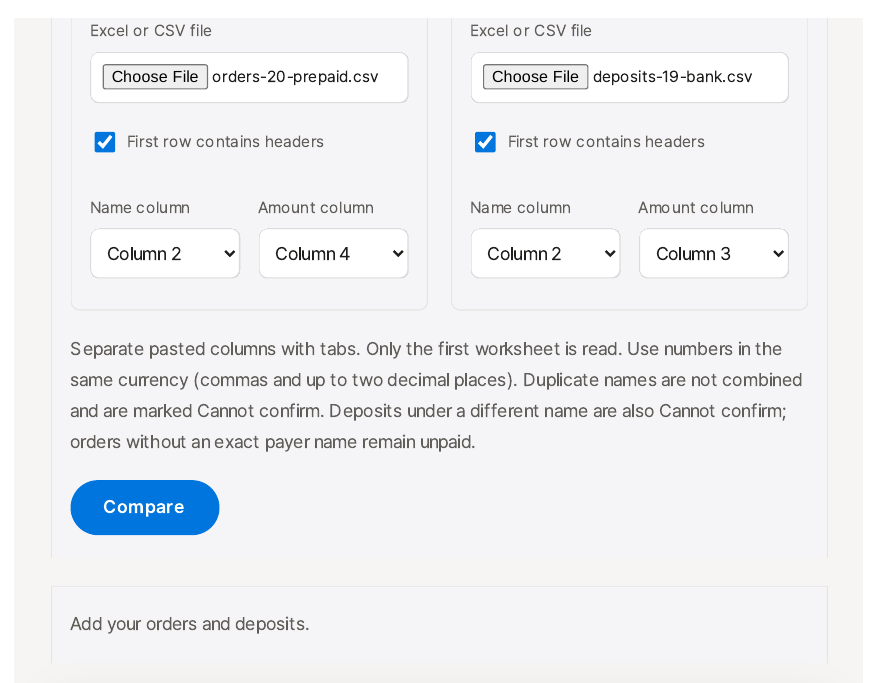
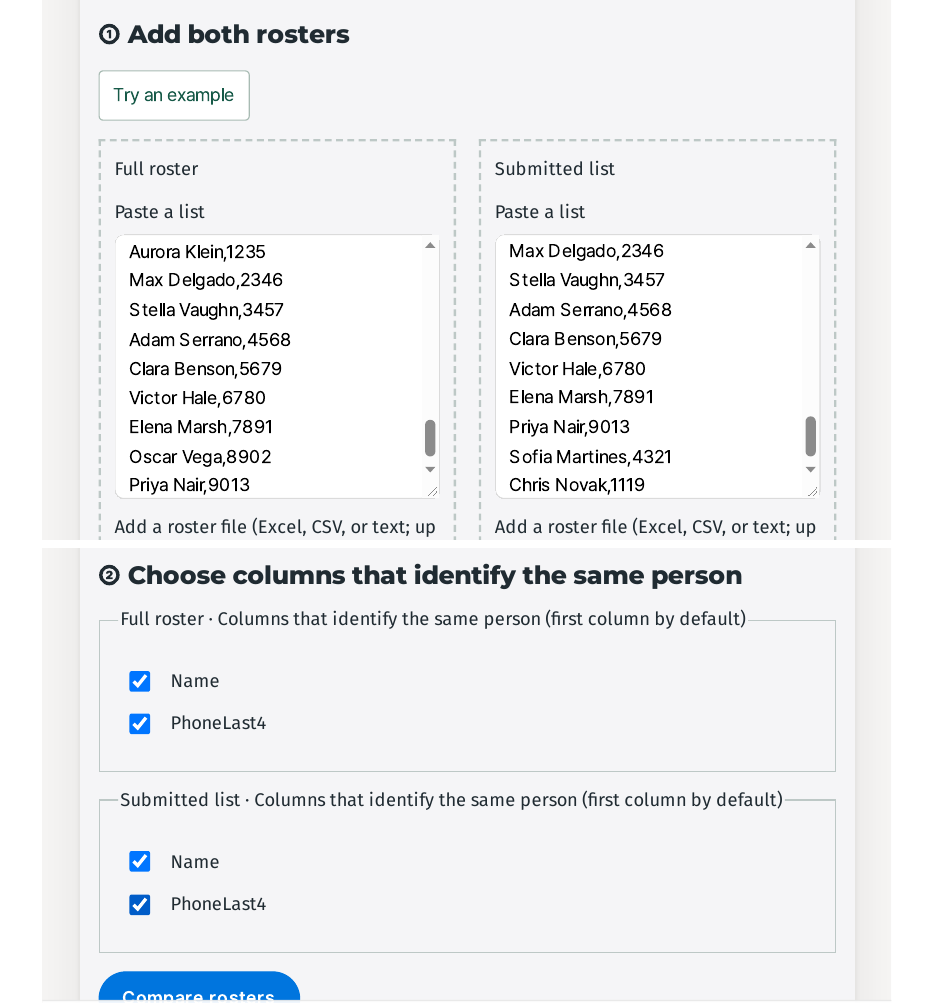
- Paste both lists, then tell the tool the first row is headers. Put the 48-person roster in "Full roster" and the 44 payments in "Submitted list". The boxes take pasted text, a dropped file, or "Choose file" (Excel, CSV, or text, up to 10 MB). Two settings matter and both are easy to miss: tick "First row contains headers", or your header row counts as a person, and change the Delimiter from its "Tab / one person per line" default to "Comma", or a CSV stays one glued column. Then click "Load rosters".
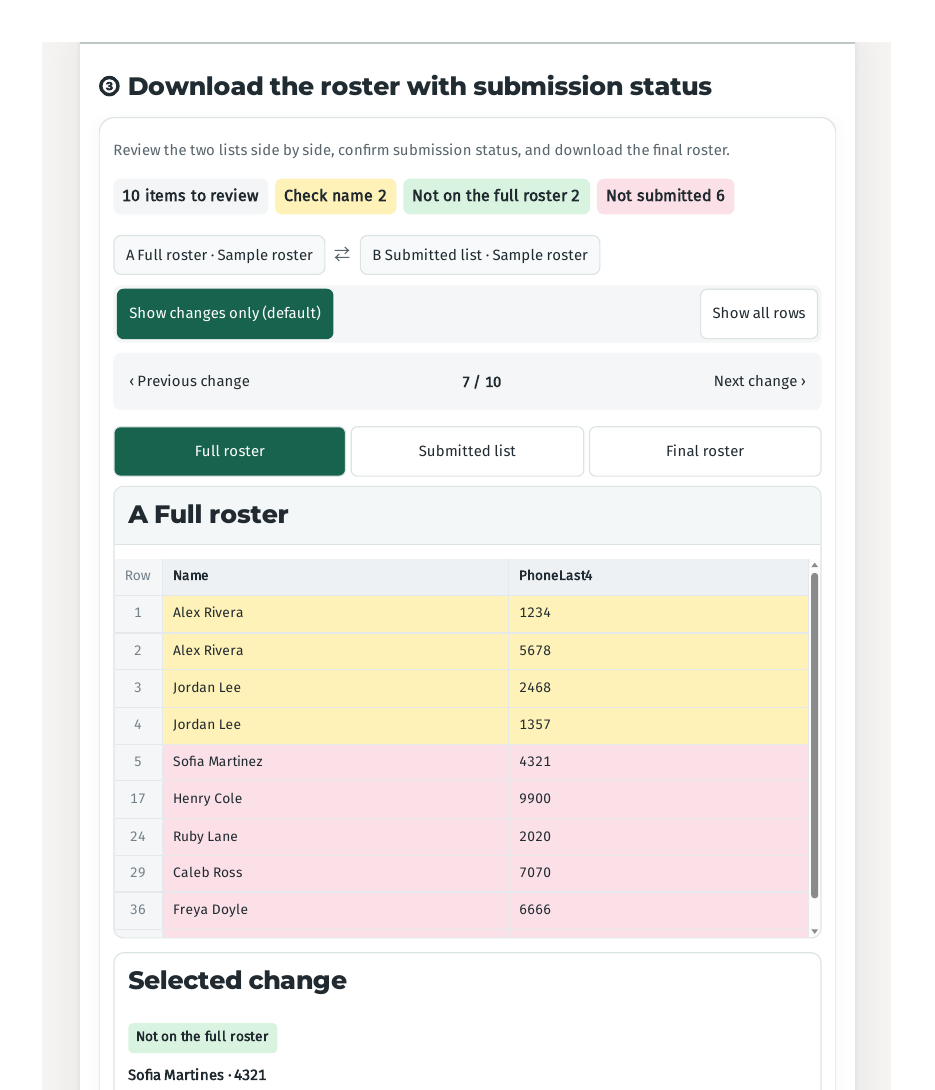
- Tick the extra identifier. In step ②, "Choose columns that identify the same person", Name is already ticked for both lists — tick PhoneLast4 as well. Names alone cannot tell the two Alex Riveras (1234 and 5678) or the two Jordan Lees (2468 and 1357) apart, and without the identifier those four rows come back as "Needs review" and only 40 count as submitted.
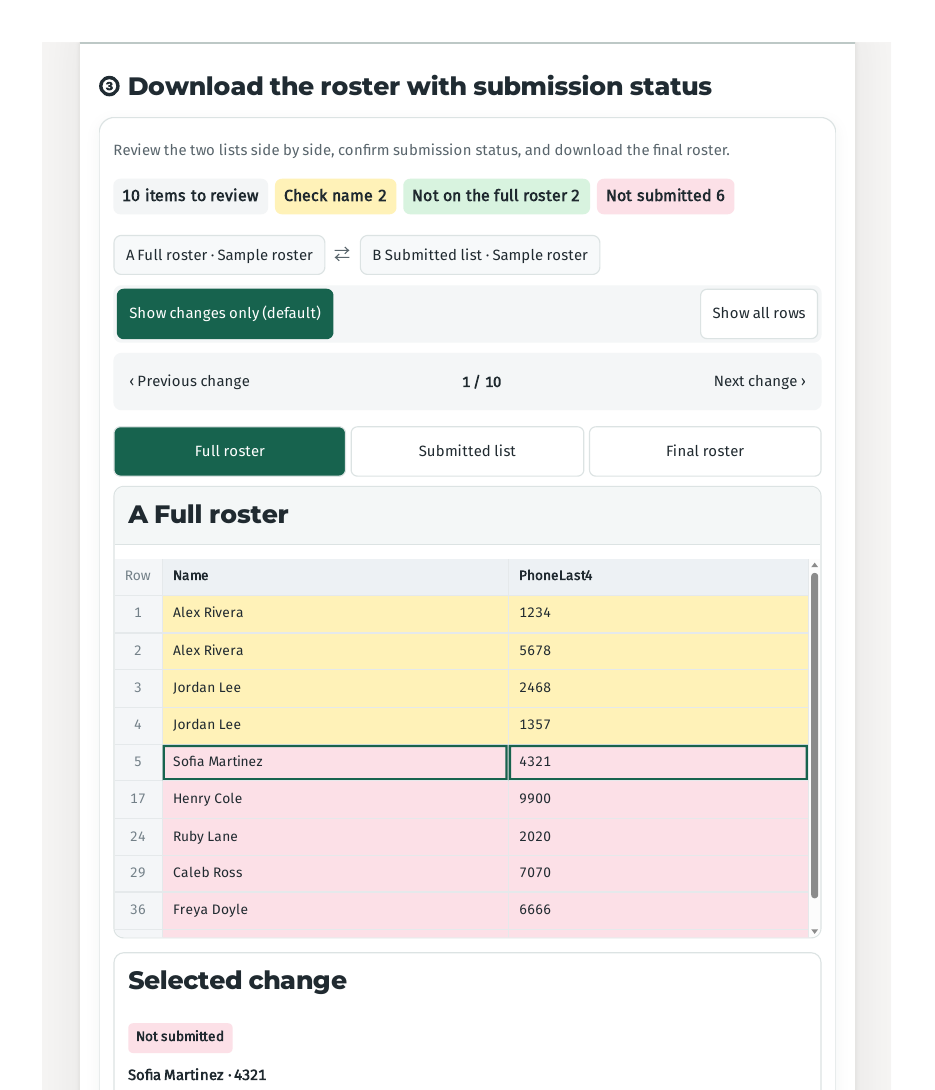
- Review the 8 flagged items, then download. The result screen says "8 items to review": "Not on the full roster 2", "Not submitted 6". Confirm each flagged change, then click "Download final.xlsx" — the file comes back with a "Submission status" column added and the B-only people kept on a second sheet.
Does it actually work? I tested it
I made up two lists: a 48-person registration roster and a 44-payment list, with the numbers designed to close exactly — 42 matched, 6 unpaid, and 2 payments with no registration. Two pairs share a name and are told apart only by the phone's last four digits, and one payment is under a misspelled name: "Sofia Martines" in the paid list, "Sofia Martinez" on the roster, same phone ending 4321. All names and numbers are invented. Tested 2026-11-16, re-tested after a fix on the same day.
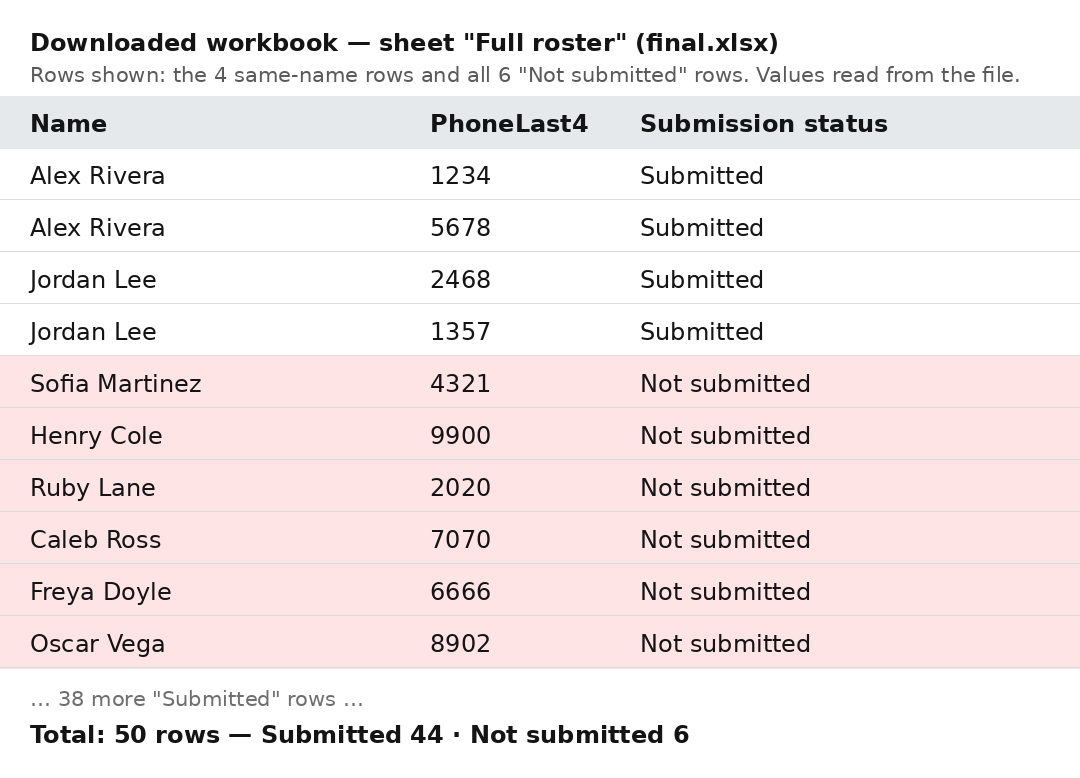
The tool's counts came back exactly as designed. The review screen reads "8 items to review" — "Not on the full roster 2", "Not submitted 6" — and the final preview reads "50 rows total", "Submitted" 44, "Not submitted" 6. The six unpaid names are the ones I planted: Sofia Martinez, Henry Cole, Ruby Lane, Caleb Ross, Freya Doyle, and Oscar Vega.
The identifier does its main job. Without it, the four same-name rows sit in "Needs review" and only 40 count as submitted — I checked this again after the fix, and it still works that way. With PhoneLast4 ticked, all four flip to "Submitted" and the total reaches 44 — and the "Check name" flag that used to stay in the review list is gone now. In my first test the review list still showed "Check name 2" as "Possible duplicate" even after the identifier fixed the result; after the fix there is no such flag at all, just the 8 items that actually need a decision.
I opened the downloaded file and checked it cell by cell instead of trusting the preview. The workbook is final.xlsx (8 KB) with two sheets. "Full roster" holds 50 rows with the columns Name, PhoneLast4, and "Submission status" — 44 "Submitted" and 6 "Not submitted", the same six names as on screen. The second sheet, "Not on the full roster", holds exactly two rows: Sofia Martines (4321) and Chris Novak (1119). One small difference from the screen: the on-screen preview adds a Row column that the downloaded file does not carry — the file keeps only your original columns plus the status column. I also uploaded the two CSV files instead of pasting them, and the downloaded workbook came back with the same three separate columns — an earlier version merged the name and phone columns into one cell when you uploaded, and that is fixed now.
Then the typo, which is the part that matters most. Sofia Martinez (roster, 4321) and Sofia Martines (paid list, 4321) share the same phone ending, but the tool does not connect them. Martinez stays pink as "Not submitted" and Martines stays green as "Not on the full roster" — "People who can be added to the full roster" — and the final file adds Martines as a 49th row marked "Submitted", a second person who does not exist. Nowhere on the comparison screen is there a "similar names" prompt or any link between the two spellings; only the page's small print says a spelling difference "appears as a separate entry" and to "review similar names in the result". In my test the result never showed me the similarity — I found it because I planted it. So if you chase the six "Not submitted" names for payment, check first whether any of them is sitting in the B-only list under a different spelling. In my test, one of the six was.
Why a name is not an ID
A name is not an ID. Two people can share one name, and one person can be spelled two ways on two lists, so a comparison that matches on names alone will merge the wrong people and lose the misspelled ones. That is why the tool asks for a second column — the phone's last four digits, a class, a student ID — something only that person has. The name finds the candidate; the identifier decides whether it is the same person. The typo case is the same rule from the other side: the name differs by one letter, the identifier matches exactly, and the tool still treats them as two people, because it never compares names for similarity — it only compares exact values.
What about the other ways?
VLOOKUP or COUNTIF formulas work, and they are free. But one typo or one misused absolute reference breaks the result, and a formula cannot tell that two differently spelled names belong to the same person — the tool's own page says exactly that.
Printing both lists and drawing lines by eye is how most small events do it. With 40 names on each side it is already easy to miss someone — the tool's own example is 40 registrations against 37 payments — and at 48 against 44, with two shared names and one typo, eye comparison is not a check at all.
A repeatable workflow tool like Power Query is better if you run the same comparison every week. For a one-off roster check it is heavy setup for a single answer.
This tool's place is the one-off check: paste twice, tick an identifier, and get back a file you can send to the six people who still owe you — after you have eyeballed the B-only list for typos.
What it won't do — read this first
- A misspelled name is never linked to the right person. Sofia Martinez and Sofia Martines share phone ending 4321, and the tool still lists one as unpaid and the other as a stranger to add. Reproduce it: paste the two sample lists, tick headers and Comma, load, tick Name and PhoneLast4, compare — Martinez is "Not submitted", Martines is "Not on the full roster", and no similar-name hint appears anywhere on the comparison screen. Before you chase anyone for payment, read the B-only list yourself.
- Without the identifier, the same-name rows stay "Needs review" — and the dialog names them. With PhoneLast4 ticked, all four same-name rows count as "Submitted" and no duplicate flag remains. Without it, the four rows sit in "Needs review", only 40 count as submitted, and a "Review the rosters" dialog appears naming the duplicated people: "Alex Rivera and Jordan Lee appear twice on the full roster. Add another key such as class or ID, then check the source roster."
- The "add another key" dialog is gone once you pick an identifier. In my first test it appeared on every comparison even with PhoneLast4 selected. After the fix it only appears when no identifier is selected and names repeat — and then it names the duplicated people, so it reads as a specific prompt, not a generic complaint. With the identifier ticked, only a "Comparison complete" toast appears.
- Headers and commas are not automatic. "First row contains headers" is off by default, so an unticked header row becomes a person named "Name", and the Delimiter defaults to "Tab / one person per line", so a pasted CSV stays one column until you pick "Comma".
- Spacing inside a name counts as a different value. Leading and trailing spaces are cleaned up, but "Mary Jane" and "MaryJane" are treated as different people. A missing phone number or a duplicated row can also change the result, so check for repeated names before you compare.
- Your lists stay in your browser. The tool says so on the page: "Your data is processed in this browser and is never sent to a server." Limits: each roster up to 20,000 rows and 10 MB. The lists contain real names and phone numbers, so keep the downloaded file somewhere safe and delete it when you are done — my sample names and numbers are all invented.
The one line to remember
Paste both lists, pick an identifier for the repeated names, and chase only the missing six — after checking the B-only list for typos.
Try the toolCompare Two ListsCompare a full roster with a submitted list. See who is missing, who needs a closer look, and download the original roster with every column preserved.loopyti.comFAQ
What if the same name appears twice on my roster? Tick a second column that only that person has — the phone's last four digits worked in my test. Without it, the four same-name rows in my 48-person test came back as "Needs review" and only 40 counted as submitted; with it, all four counted as submitted and the duplicate flag disappeared entirely. If you skip the identifier, a dialog appears naming the duplicated people.
What if a name is spelled differently on the two lists? The tool treats the two spellings as two different people — it never suggests they might be the same person. In my test, "Sofia Martines" (paid) and "Sofia Martinez" (roster) share phone ending 4321, and the result still listed Martinez as unpaid and added Martines as a new 49th row. Check the B-only list for near-matches before you chase anyone for payment.